How to Batch Convert WordPerfect (.wpd) Files to Word on Windows 11
A step-by-step guide to modernizing your entire WPD archive in minutes
TL;DR
Stop converting WordPerfect files one at a time. WPD Converter lets you point at an entire folder tree, choose your output format (DOCX, PDF, RTF, TXT, HTML, or Markdown), and batch-convert thousands of .wpd files in seconds — all locally on your Windows PC.
If you've inherited a large archive of legacy WordPerfect files, the prospect of opening and "Saving As" each one individually is daunting. Whether you're a lawyer, a researcher, or an archivist, you need a way to bring these files into the modern era without wasting days of manual work.
In this guide, we'll show you how to automate the conversion of your entire .wpd archive to DOCX, PDF, RTF, TXT, ODT, HTML, or MD in just three steps using WPD Converter.
Why Batch Convert Locally?
Before we start, it's important to note why you should avoid web-based converters for large batches:
- Privacy: Legal and personal documents shouldn't be uploaded to unknown third-party servers.
- Speed: Converting 500+ files through a browser is slow and prone to timing out.
- Organization: Web tools usually dump your files into a single ZIP file, losing your folder structure.
WPD Converter solves these problems by running directly on your Windows PC.
Select Your Source Folders
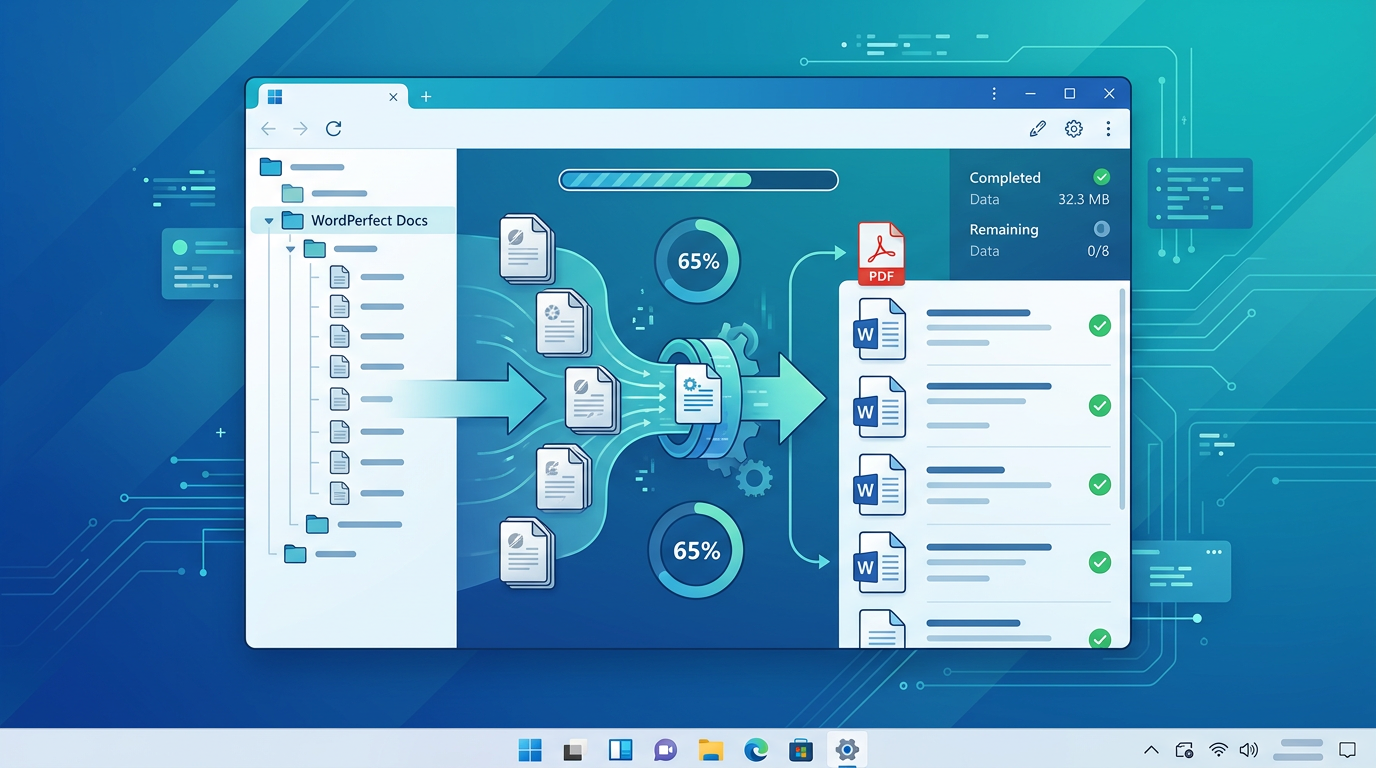
Open WPD Converter. You don't need to select individual files (though you can); instead, use the Folder Tree View to point the application at your main archive folder.
Pro Tip: If your archive has nested folders (e.g., Client Name → Year → Case File), WPD Converter will automatically find every .wpd file within those subfolders if you select the top-level directory.
Choose Your Format and Output Logic
In the settings panel, select your target format. DOCX is standard for editing, PDF for long-term preservation and searchability, and HTML or MD (Markdown) for web and AI workflows.
Next, choose how you want the files handled:
Alongside Original
Keeps your .wpd file and places the new .docx right next to it.
Replace Original
Deletes the old .wpd file once the conversion is confirmed successful (best for decluttering).
Export to Folder
Moves all converted files to a new location. You can choose to keep the original folder structure intact or flatten everything into a single folder.
Run the Conversion
Click the "Convert" button. You'll see a real-time progress bar as the engine processes your files. Even with thousands of documents, the high-performance engine typically converts each file in a fraction of a second.
Once complete, your legacy WordPerfect documents are now fully compatible with Microsoft Word, Google Docs, and modern PDF readers.
Troubleshooting Common Batch-Conversion Issues
A few situations come up regularly when converting large WordPerfect archives:
- Files without .wpd extensions. Decades-old archives often contain WordPerfect documents with no extension at all, or extensions like .doc from an era when that meant something different. WPD Converter identifies WordPerfect content by inspecting the file itself, so these convert normally — no renaming required.
- A handful of files fail in a large batch. Password-protected or genuinely corrupt documents are skipped and reported rather than halting the run. Review the summary after conversion to see exactly which files need attention.
- Keeping the folder structure intact. When converting a whole directory tree, the output mirrors your original folder hierarchy — important for legal archives where the filing structure itself carries meaning.
- Very old Word targets. The DOCX output opens in every version of Word since 2007. If you need to feed something older, convert to RTF instead — see WPD to DOC for the details.
Summary
Modernizing your archives doesn't have to be a manual chore. By using a specialized local tool, you ensure your data stays private and your folder organization remains professional.
Related Reading
Ready to try it for yourself?
Download the free trial and convert your first batch today.
Free trial
Full app features · up to 10 files
Windows 10 or 11
Same free trial as the full app — convert up to 10 WordPerfect files locally on your PC.